ARC RAIDERS / CONNECTION HELP
Current outage status: unverified. We did not establish a current, game-wide outage or an all-clear from the official sources checked below. This is a dated check, not a live server monitor.
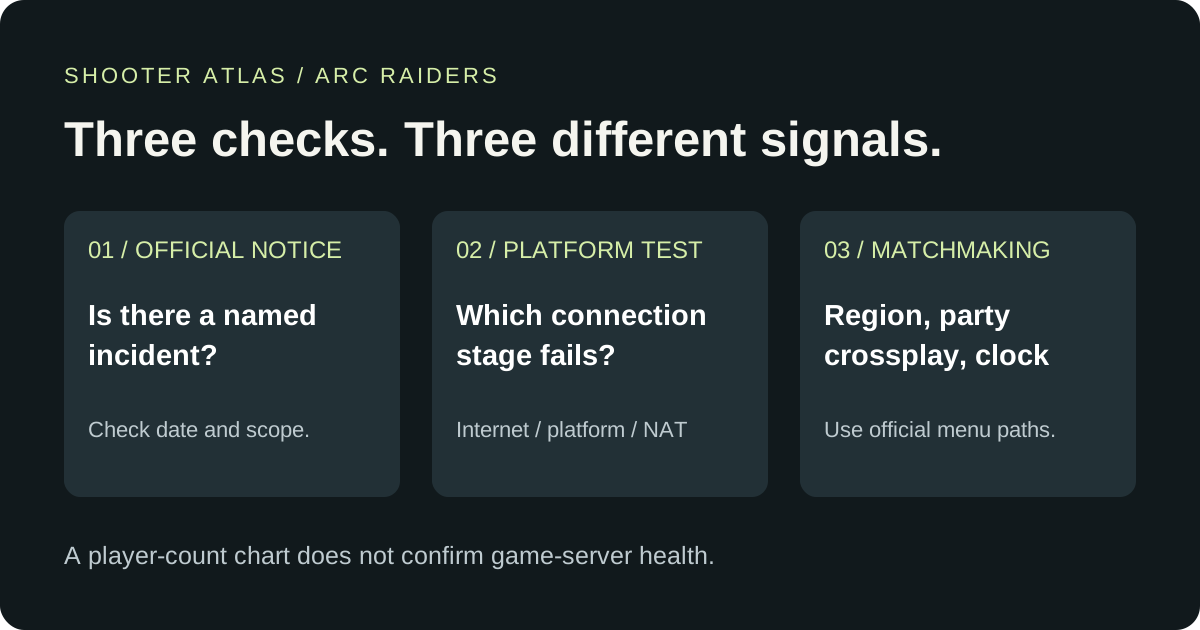
Checked . Before changing settings, check the official ARC Raiders announcements. If you cannot find a match, use the symptom checks below.
Embark's 27 October update notes ask players to restart the game to download version 2.3.0. That instruction is not a maintenance schedule or a promise that every platform is working.
Check your matchmaking region
Embark gives different starting points for PC and console. Use the route for your platform, then set the server selection to Automatic:
| Platform | Official menu route |
|---|---|
| PC | Bottom-right gear icon → Gameplay → Server → Automatic |
| PS5 or Xbox | Social menu → gear icon on the left → Gameplay → Server → Automatic |
This is the route in Embark's matchmaking article, last updated 27 February 2026 and checked here on 27 October. It is a troubleshooting step, not a measurement of regional service health. We checked the document; we have not tested these menus on a running game.
Check every party member's crossplay setting
Having crossplay enabled on your own account does not establish that your party is queuing with it enabled. Embark says the party uses its most restrictive member's setting. A friend with crossplay disabled can therefore place the whole party in the crossplay-off queue.
Ask each party member to check their setting before treating a slow queue as an outage. Embark says enabling crossplay can help matchmaking, but does not give a guaranteed waiting time. Source: official PC/console matchmaking troubleshooting, updated 27 February 2026.
If standard maps work but map conditions do not, check the clock
Embark identifies this particular symptom, as well as connection and matchmaking failures, in its device-clock guide. Its published paths are:
- PC: Settings → Time & Language → Date & Time. Enable Set Time Automatically, then choose Sync Now under Additional Settings.
- PS5: Settings → System → Date and Time → Set Date and Time → Set Using Internet.
- Xbox: Settings → System → Time → Set Time Automatically to On.
After synchronization, fully restart the device and relaunch ARC Raiders. The guide was last updated 26 February 2026. A successful clock sync is a local troubleshooting result; it does not verify the rest of the game's infrastructure.
Run the console connection test before deeper changes
Embark's console connection guide, updated 27 February 2026, separates the network test from matchmaking:
- PS5: Settings → Network → Connection Status → Test Internet Connection.
- Xbox: Xbox button → Profile & System → Settings → General → Network Settings → Test network connection.
Record which stage fails: internet access, PSN/Xbox Live or NAT. This gives you a specific failure to investigate rather than an unsupported game-wide verdict. On PC, Embark's connection guide recommends a stable connection, preferably Ethernet, and also points to clock and server-region checks.
What did the official-source check show?
| Source checked | Observed | Limit |
|---|---|---|
| Official website | Homepage and 27 October 2.3.0 news were readable. | A website loading does not test game login or matchmaking. |
| Live Update 2.3.0 | Restart-to-download instruction; Xbox instability remains on the known-issues list. | The post supplies no game-wide outage verdict or recovery time. |
| Official X profile | The latest visible post announced update 2.3.0. | Only the posts visible during this check were reviewed; this is not a complete incident feed. |
All three observations belong to the check time above. We do not turn a Steam player count, an old resolved incident or an update announcement into a current Online/Down badge. No restoration ETA was verified in this check.
Where should you go next?
For a new incident, return to the official announcements. For a persistent individual connection failure, use Embark Support and keep the platform, exact error text, failure time and the network-test result together. The paths on this page are document checks, not a claim that we reproduced your error.
For the separate question of how many people are playing on Steam, use our dated ARC Raiders player-count readings. Those readings do not monitor service health.